TikTok
WARNING
Warning: Never share your API keys or access tokens with anyone — including plemeo developers.
These keys are for your personal use only and must be kept secure in your private environment.
plemeo is a self-hosted, open-source tool. You remain in full control of your API access at all times.
Setup Process
1. Create TikTok for Developers App
Head over to TikTok for Developers and create a new app.
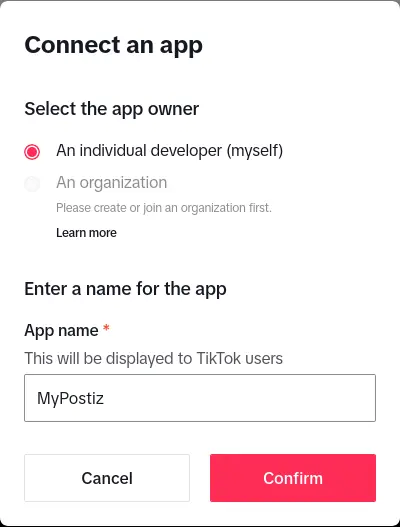
2. Configure Your App
Fill in all the required details for your TikTok app:
- App name
- App description
- Category
- Use case
3. Request API Access
Request access to the TikTok API and the following scopes:
user.info.basicvideo.publishvideo.upload
INFO
TikTok has strict API approval processes. Make sure to provide detailed information about your use case and comply with their terms of service.
4. Configure OAuth2 Redirect URI
The OAuth2 Redirect URI is the location where the provider will redirect to after trying to login. This needs to be set to https://run.plemeo.ai/integrations/social/tiktok.
Examples:
- For production:
https://run.plemeo.ai/integrations/social/tiktok - For local development:
http://localhost:4200/integrations/social/tiktok
TIP
You only need to set one OAuth2 Redirect URI when you are setting up your plemeo app.
5. Configure in plemeo
Copy the Client Key and Client Secret from your TikTok for Developers app dashboard.
Now configure these in plemeo:
- Go to Apps in your plemeo dashboard
- Select Social Media App
- Click on the settings icon (⚙️)
- Enter your Client Key and Client Secret in the TikTok configuration fields
- Click Save
WARNING
Important: TikTok API access is subject to approval and may take time to be granted. Make sure your app complies with TikTok's community guidelines and terms of service.